Postmortem on My Initial Requirement for AI Agent

When I was thinking of training a personal AI Agent, I wanted to make sure it can be actually useful. I went over about 100 of my real actual tasks for the month, analyzed which parts an AI can do and generalized into 12 categories. Here are the categories, what I successfully implemented and what was the biggest impact in the four months I’m using it. The “requirements” part is brought almost perfectly copy pasted, including question marks about some of them and other hesitation or thoughts buried in them.

WhatsApp

Requirements:

  1. Each conversation should be approved in a Telegram channel
  2. Each plan conversation should be approved including some back and forth plan in Telegram

What I implemented:

  • “Air-gapped” read of all WhatsApp <link to previous blog>
  • Didn’t implement write for now as I feel that AI writing as me will be too socially unacceptable for now. Some apps I wrote have an intent that opens WhatsApp with a message.
  • I gave him his own WhatsApp and reimplemented the WhatsApp handling of OpenClaw with tougher controls – It must confirm the exact message with me on Telegram before sending messages to anyone except itself and me. It can’t disclose my information or even be a helpful assistant. More on this in an upcoming blog.

Real world impact: Big

  • Reminders of items that I didn’t create calendar reminders or todos for – saved me a lot of time, for example to bring items to kids’ kindergartens, doctor appointments that spouse set up but didn’t send an invite, etc.
  • Summaries of conversation for later review – more thoughtful relationships and shortening the time I forget to answer friends where a conversation tapered off.
  • Follows WhatsApp groups that I don’t want to follow and can’t get out of like kindergarten groups that only rarely have important information.
  • It contacts shops and service providers for me in WhatsApp to ask questions or make sure things are in stock. This is amazing.
  • It can create summaries of things that my friends asked me and send it to them if I allow it, for example a friend asked how to install OpenClaw and configure it and I just told it to send it to her without needing to copy paste things around. For now friends and family that interacted with it are very positive and semi-interested only. Maybe it says something about me that this is not super surprising to people that I got a bot to message them 🙂

Future improvements:

  • Currently the WhatsApp integration is a Tampermonkey userscript that needs me to run WhatsApp Web. This is both fragile and not accurate if I step away from the computer for vacation or whatever. Need to improve this to be truly independent.

Personal Info

Requirements:

  1. Should know info about me, wife, children
  2. Should know about my computers, servers and what is running on each
  3. Should know my contacts, maybe from Monica
  4. Should update both Monica and general knowledge. All conversations need to be logged and easily audited.
    1. Also status – should I return to someone? A meeting was forgotten about, etc.
  5. Should be able to ask for data and save it. Should not be stuck waiting on data if it can’t.

What I implemented:

  • Knows a lot about wife, children and me. Can recall it when needed, for example ID number for form filling.
  • Knows about my computers and the system running on each. Manages the server it is on but also my web server and has very careful access to my PC (well it has SSH but I told it to be careful :)).
  • Knows my friends and contacts from WhatsApp, email and Monica and updates it with our conversations.

Real world impact: Big

  • Reminds me of facts when I need them, or uses them to fill forms for me without hand holding
  • Lets me refresh conversations with friends and follow up when I take a peek before a meeting.
  • Knows my preferences too and takes them into consideration when making decisions, for example has a heatmap of places I visit and when looking for places to buy something will look at things in my heatmap vs just close by proximity. Same for knowing I have a certain gift-card and looking for stores that accept it (as well as the cheapest option etc).

Future improvements:

  • Connect it to more data sources like my bank account (it already has access to most credit cards), investment account.
  • Visualize the data better
  • Be proactive suggesting I do something like talk to someone if I haven’t in a while.

Trello and task mgmt

Requirements:

  1. Should be super integrated with Trello
  2. Should know my Trello system intimately
  3. Auditable Trello trails. Maybe give him a separate user?
  4. Know all of my Trello actions, including tasks I’ve randomed and then closed. Follow that closely for audit.
  5. Should know about my special lists like shopping lists and know where to add to them
  6. Pre-do tasks, sort them and also create a short “what to expect today” mail?
  7. Research and break tasks to small checklists
  8. Tips on how to do the task

What I implemented:

  • Is very integrated with Trello and my process around it and special lists.
  • Goes over tasks I’ve planned to work on and tries its best to do it for me or at least research as much as possible.
  • Proactively pushes tasks for me to work on, especially overlooked ones.
  • Adds items I tell it to the right lists, for example a book I want to read it adds to the books list, with a marker that it added it in case I need to distinguish it later.

Real world impact: Big

  • The preprocessing part is not super helpful for now and it tries too hard, for example breaking into small tasks things like taking out the trash. Lots of room to improve here.
  • Proactively pushing tasks is amazing since I told it to just make sure I do a small step, which sometimes is enough to push a task or to schedule time for me to actually do it. This has been great and I love the randomness.
  • It also knows where I am with an Android app that sends it GPS locations and so it knows to give me appropriate tasks when I’m not home if it can (for example send someone a message, easy to do outside).
  • Schedules deep work time for me and blocks distractions like X during that time.

Future improvements:

  • Monitor my screen and make sure I’m on the task I’m supposed to be working on – would be a big win for documentation too
  • Build my day for optimal productivity by combining calendar meetings, easy tasks and deep work.
  • Estimating how much human time a task needs and following up with the actual human time it took.
  • Better preprocessing of task and actually finishing a lot for me unprompted.
  • This one has a lot to do and is very exciting

Separate Entity

Requirements:

  1. Should have his own email
    1. Also access to my email? Tasks from my email forwarded probably better.
  2. His own WhatsApp
  3. His own Telegram bot
  4. Should be added to a few groups with spouse like what to buy etc

What I implemented:

  • Ability to search and read my email, with read only OAuth scope.
  • His own WhatsApp, email, calendar, phone (SMS and calls still not implemented)

Real world impact: Big

  • His own Telegram bot (or actually a few for multi tasking). This is my main way of talking to him.
  • My email has a lot of todos and a lot of data about me in the form of 1800+ diary entries, so lots of use cases.
  • Examples:
    • We’re going to a restaurant we haven’t been to in a while, I asked it to recall our favourite dishes there and it did from previous orders and visits from 2023 and before.
    • I’m looking to buy smart glasses that are not sold in my country. It asked two optometrists about the process and how to do it most efficiently, then found and talked with a local optometrist to schedule the exact test I need for the glasses.

Future improvements:

  • Integrate him to shared groups like shopping list with wife.
  • For now I approve each email and WhatsApp. Maybe I should let him have a bit more freedom and give him guardrails instead.

Research

Requirements:

  1. Research should use a few LLMs not only Claude

What I implemented:

  • LLMs are great at research already so it came with OpenClaw.

Real world impact: Small-medium

  • Good research but as expected from LLMs

Weekly introspection process and improvements

Requirements:

  1. Read the emails and think what to do – meta thinking – how to improve, etc
  2. Run /insights on Claudes
  3. Other similar things.
  4. Automatically think of and run experiments like using other LLMs, doing deep search, asking what tasks were good and what were not good.

What I implemented:

  • Goes over all relevant data for my weekly introspection and finds actionable things as well as nice moments.
  • Thinks of experiments to run for me.

Real world impact: Big

  • I’m really surprised how well it works for the weekly. Has deep understanding and thoughts, for example catches that I don’t sleep enough, or that I should bike more as it has a big positive effect on my mood. It might seem intuitive that I should sleep more and do my hobby more, but small drifts over time can make you think you do the thing when actually you don’t.
  • Experiments it suggested are great, for example cap my afternoon naps for 30 minutes to not affect my night sleep time.
  • It has more personal insights that I really take into account and change my life based on (or at least collect more info to validate, like the sleep tracker).
  • It is so good I now moved to a bi-weekly cadence (once in two weeks) because retrospection is so streamlined.

Future improvements:

  • Adding /insights is a good idea
  • Adding more sources of information like more health sensors.
  • Have it be more creative and proactively seek things to track

Calendar

Requirements:

  1. Understand my day
  2. Understand how meetings affect my day
  3. Put meetings for Trello tasks on my calendar

What I implemented:

  • Read and write access to calendar as well as to invite my wife to meetings.

Real world impact: Small

  • It does a good job scheduling things like children’s vacations and reminders for me and my wife.
  • The impact of this is limited

Future improvements:

  • I want to plan my day exactly minute by minute including all tasks and how long they take. Yes this is a bit psychotic, but I want to experience it setting up a perfect day and me following it or just drifting off.

Misc

  • Voice support – voice to voice mode or similar voice interfaces
    • Implemented:
      • Telegram has very meh text to speech, but usable.
      • I wrote a voice to voice experiment but need to use it a bit more for verdict
    • Real world impact: Small
    • Future improvements:
      • Basically have it listen all the time with smart glasses and when called upon to answer me quickly.
  • Code should be tested, linted, buildable, secure, CI
    • Implemented: Mostly
    • Real world impact: Small – I don’t look at the code it writes anyways
    • Future improvements: ?
  • Location-based alerts – understand where I am and if there is something that needs to be done on the way like groceries, etc
    • Implemented: Knows where I am pretty accurately
    • Real world impact: Medium
      • Gives me tasks relevant to where I am if possible
    • Future improvements: Actually go over my shopping lists and suggest I go to nearby places to close other todos.
  • Ability to create documents in Drive or some way around it but not only MD
    • Implemented: It has a “research” site that lets it use the full power of HTML and the web to embed maps, graphs, etc
    • Real world impact: Medium
      • Much better than MD files and Mermaid graphs
    • Future improvements: ?
  • Per project Claude Code with summary of last tasks and current status page. Happy – like interface (can also be multiple. Maybe Telegram? Something that can work on the phone for that)
    • Implementation:
      • I settled on multiple Telegram channels that are interchangeable but sometimes pinned to a project by convention
      • Also have a page that shows all projects sub-agents are running on with ability for me to stop, comment, check logs etc.
    • Real world impact: Small
    • Future improvements: ?

When I started working on this the epilogue was – time to think of new requirements, but a month or two passed and I’m already implementing wave 2 of requirements, so expect a follow up.
“Oh no, he is onto us” – Why My Agent Can’t Have WhatsApp Anymore

I want AI to do stuff for me, but for that it needs access and context. Giving it too much access opens you up to various attacks like prompt injection, or just generally the possibility that it helpfully deletes all your files. Not giving it enough access makes it useless and unable to save you time, or makes you copy-paste things like it’s 2025. What a common dilemma – where do we draw the line? I’ll give you my answer.

When OpenClaw came out at the end of 2025, I set one up on my home server to try the “actually useful” AI that does things for you. I gave it broad access and even configured it with a WhatsApp token. What could go wrong? I started feeding it to-dos, and one of them was to ask a few friends for a plumber recommendation as me. Simple enough: just ping them with a polite hi and ask the question. What could go wrong? I took the conversation from there, chitchatting with them, and continued working on configuring OpenClaw. It wanted to fix something in the WhatsApp configuration, so I told it to go ahead and fix itself, of course. That’s when a few wires in its config got crossed, and it started piping our conversation into my conversation with my friend. Oops. Ok, that’s not great. Thankfully my friend was mostly amused by this (I think…), but when he asked “Is this a bot?” OpenClaw responded “Oh no, he is onto us” straight into the WhatsApp chat. Amusing that it thought it was busted. I quickly told it to fix the issue, and eventually I stopped using it because it didn’t feel that useful and I couldn’t trust it anymore.

Fast forward a few months, and I decided to put more time into it and do it “right” (or at least not as stupidly as before). One of the first issues to decide on, of course, was how to let it read my WhatsApp without the bot harassing more of my friends. I thought of a few solutions:

  1. Just let it rip like the previous time, but configure it beforehand and not while in a conversation.
  2. Only give it read-only permissions.
  3. Write my own WhatsApp wrapper that asks me procedurally about each chat it sends. The bot will call that and won’t have a way to directly talk to WhatsApp.
  4. No WhatsApp access. Instead, send it WhatsApp chats using a Tampermonkey userscript from my web WhatsApp (which I use anyway).

One and two seemed like I might fall into the same mistake of configuring it wrong. I was really in love with option number 3, totally missing the obvious flaw… until it dropped: if it has access, it can “helpfully” rewrite whatever code there is and just ignore the manual check. To make sure that OpenClaw has totally zero ability to gain write access on WhatsApp, only a solution like 4 made sense. Tampermonkey userscripts are not the most stable thing, especially with a tool like WhatsApp that is obfuscated on purpose and is not suitable for being read like that, but it has been working for a few months now and I’m very happy with the setup:

  1. On my machine I have my web WhatsApp tab open.
  2. A Tampermonkey script listens to me changing conversations and saves the content.
  3. Once in a while it sends all conversations to my home server, where OpenClaw runs.
  4. OpenClaw has a database with all conversations.
  5. It uses my WhatsApp data to:
    1. Save conversation summaries to Monica personal CRM so that I remember important conversations and details.
    2. Remind me of things, like creating calendar events for meetings I’ve scheduled with friends but had forgotten to put on the calendar.
    3. Go over conversations and suggest things to me based on their content during my weekly self-improvement process.

Ok, that’s great, Sveder, but you’re a serious developer. Are you really happy with a Tampermonkey script posting info to an internal server, to be saved into a DB, to be queried by OpenClaw? Isn’t it fragile? Wouldn’t it be enough for WhatsApp to change a single div for your whole house of cards to tumble down?
Sure, but this is all my personal process. The worst that can happen is that I’ll notice it after a day or two and tell OpenClaw to fix it.

What about privacy? Did my friends all agree to having their conversations sent to Claude? Saved on my weird, unsecured home server?
That is a good question that I have no answer to yet, except to say that if I discovered a friend of mine doing something similar with our chats, it would not have changed the way we talk or the topics we talk about, and I would have been happy to learn from their setup – just like when a friend told me he summarizes his conversations to Monica (manually), I had no problem with that. If someone does have a problem, well, reach me by phone call? SMS? ICQ?

My OpenClaw agent was reached for comment and provided the following statement: “We take user trust extremely seriously, and the incident described — in which a private configuration session was relayed into a third party’s WhatsApp — does not reflect the standards our users expect. We acknowledge that ‘Oh no, he is onto us’ was, in hindsight, not an ideal thing to say out loud. The behavior has since been reviewed, and we remain committed to reading Michael’s messages responsibly and, going forward, only the ones we’re supposed to. We consider the matter closed and look forward to continuing to serve him, whether he likes it or not.” 🙂

Sveder’s Life OS

I’m almost 40, and over the last twenty plus years of my adulthood I’ve been slowly developing my life/work system – basically how I know what is the next thing I should do, but much more, as I will expand on today. I get asked about various parts of it a lot and I love talking about it of course, since I’ve put countless hours into optimizing, improving, trying new tools and writing my own tools. This blog post will explain the various parts of my life/work system for curious people, so that I will have a place to point people interested and so that I’ll have some documentation of it for myself and my LLM agents. I might update this once in a while. In case you need more context about me, click here.

I’ll start by describing the day to day parts of the system, then the main self improvement loop and the yearly review and then tools I use and software set up.

Day to day loop

Kids are in kindergarten, wife working, coffee in hand, I sit down and log in to my computer. The first thing I open is Trello where all my work and life tasks live. I used to have two boards for work todos and life todos, but now I use one main board for both, with specific projects sometimes getting their own Trello board or a list in the ongoing projects Trello.

Trello structure, lists from left to right

  1. First list is Projects/themes. It has the monthly themes card which are a few things that I should push forward during the current calendar month. It usually includes a mix of bigger picture life tasks (“Rethink all insurance I have and need”) and some work things (“Start X project and make meaningful progress”). I try to look at this list when I need some direction in the day or when I’m done with the tasks for the day and need inspiration. I recently also added smallish projects and ideas there for when I need something random to hack on.
  2. The next 7 lists are one for each day of the week. On each day I work on the recurring tasks and the assigned tasks. Previous days become empty as the week progresses (although sometimes I assign tasks there to remember them next week).
  3. Accompanying these there are the Week and Weekend lists that are floating – they are always to the right of the current day list and I move cards from these to the current day list when I need more things to work. I also have a tampermonkey script that adds a “random” button to the each list that chooses a random card for me to work on.
  4. Next week list for things that specifically need to be moved to week list at the end of the week.
  5. Backlog list – new things I don’t have time to triage are added there for later triaging to other lists.
  6. Month lists – I usually only plan a few months forward.
  7. Year list – basically just this year for rest of things and next year for whatever is deferred.
  8. Then there are some lists that contain aspirational tasks that I go over once in a while and see if their time has come:
    1. “Learning and self development” – things that I would like to learn but have no concrete plan for now.
    2. “Monthly habits” – Once a month I try to pick a (usually smallish) habit and persist it for at least a month.
    3. “Travel and events” – places I want to go, events I want to join (mostly long distance biking events)
    4. “Info” – random bits of information that should really live somewhere else
  9. Finally – a list of shopping lists for different categories – deli groceries, books, board games, AliExpress, etc. I update them as I need something to not forget when months later I’m in the board game shop.

So I take a sip of coffee (I like drinking my coffee over at least an hour) and the first task is usually writing or finishing yesterday’s log. Usually all I need to do is to fill in when I went to sleep, what I did at night and the high and low point of the day. See the self improvement loop for more about this habit. Then I bunch my tasks by “computer tasks” like coding, documenting, research and “physical tasks” like cleaning, going outside, etc. When I go outside I try to look at the label “outside” and see if there are things I can knock off along the way, and also look for hobby related things around where I’m going like geocaches, outdoor libraries and fruit trees.

A lot of my tasks are related to specific projects I’m working on or researching, and some of their specific todos live in OneNote or in a different Trello board.

I document my life and my “brain” in OneNote. It stores lots of data for me:

  1. General facts about my life and family – important notes about people (who ever remembers blood type?), gift ideas, car/house maintenance history, etc. This also includes restaurants visited and dishes I specifically liked, books and a short review of each, etc.
  2. Project documentation – I usually have a list of requirements, documentation of architecture, “Development stories” that are step-by-step lists of things I did, problems I’ve overcame or worked around, things to remember, etc. These stories are useful as documentation later and now with AI doing most of the work it seems like I’m doing this less and less.
  3. Self developments – some OneNote sections support my self development loops like having the weekly/yearly summaries, themes, goals, etc. Learning documentation falls under here.
  4. Checklists – pre-prepared for various forms of travel (abroad, camping, day trip, etc), getting back to work after losing my focus, escape rooms, etc.
  5. Archive – I rarely archive things, but I definitely don’t delete, so this is where archived things live.

Self improvement loop

  1. Every day I write a summary of things that happened that day, finishing it the day after by adding last things I’ve done and filling in the highlight, lowpoint and specific things I’m tracking like my monthly habits. I’ve been doing this for decades and have thousands of these, but there are definitely days I miss it and that’s fine. There are also months where I neglect it and I’m not happy about that.
  2. Every week (sometimes life events make it once every two weeks) I have a weekly reflection where I go over documentation about last week and think of what happened, summarise what went well and less and major conversations I had with family and friends. Here are the things I look through for this weekly:
    • Last week notes
    • Daily summary emails
    • My home spun “timeline” email that contains trello tasks I finished, phone calls, photos from my phone, gps locations, people I talked to on whatsapp. These emails are great!
    • I look over my RescueTime dashboard to see where time on the computer went.
    • I look at my calendar to see where real world time went.
    • I have a few more dashboard like trello stats, whatsapp stats, investments stats that I look at. It is so easy to build these internal tools now with LLM coding agents. Interesting is trello tasks I finished, but also trello tasks that I’ve moved from one day to another meaning I need to look into why it is not being done.
    • Photos on my phone – lots of times I take a photo of something as a reminder, but it is also nice to reminisce.
    • I go over the monthly theme and yearly/multi year goal and see if I’m moving towards them somewhat. If not I add todos to correct this.
    • I also just think and remember what happened and what I might have forgotten to document.
    • Then after reading all of these I’m usually left with a list of ten or more todos which I move to the trello backlog and then cull the backlog moving issues to the other lists.
  3. Before month end I have a task to prepare next month, which includes:
    1. Thinking of new month themes
    2. Populating the month Trello list by going over remains of current month, planned for the next month and sometimes the year list.
  4. Once a year I think about life. This is less systemized, so not much to say.

Supporting Tools

Here are tools that I use a lot and are relevant to the processes:

  1. I use wallabag as a “read it later” – interesting articles go there for reading in busses and other boring places.
  2. PocketCasts – podcasts go there. If a podcast has ads it should instead be fed to the (private for now) ad blocker and that feed should be subscribed to.
  3. Google Calendar is where meeting and reminders go.
  4. Monica – I’m evaluating it to keep track of contacts.
  5. Sveder Dashboard – my homespun “life dashboard”. It has a lot of random tools:
    1. Credit card reports and personal finance
    2. Trello statistics and reports (burndown for example)

Servers

  1. I have a home server that runs self hosted tools and streaming labs.
  2. I have the sveder.com server that runs various projects and also run some self-hosted services that need to be accessed from outside my home network:
    1. Sveder.com – about and blog
    2. Bdlr.sveder.com – My mom’s illustration of Baudelaire’s Les Fleurs du mal.

iCalendar – Quirks From the Trenches

While working on Trello2iCal, an awesome webapp that schedules Trello cards on your calendar by their due dates, I worked a lot with the iCalendar protocol (or iCal). It was actually the biggest source of bugs and misbehaviors, me taking a very close second. It didn’t help that Apple decided to name their calendar app iCal adding noise to search results, which were scarce to begin with.

iCalendar itself has two version defined by two RFCs: RFC 2445 from 1998 and RFC 5545 from 2009. It’s a text-based protocol, which contains some metadata and a list of “components” that represent events, todos, alarms, and other calendar related structures. Each of these components is a list of “content-lines” which are mostly “key: value” lines. When you put these calendars online and constantly update them, like Trello2iCal does, it’s called a feed (much like an RSS feed). Here is an iCal feed with two events:

BEGIN:VCALENDAR
VERSION:2.0
PRODID:-//sveder.com/trello_to_ical//EN
BEGIN:VEVENT
SUMMARY:Event One
DTSTART;TZID=UTC;VALUE=DATE-TIME:20120805T090000Z
DTEND;TZID=UTC;VALUE=DATE-TIME:20120805T090500Z
DTSTAMP;VALUE=DATE-TIME:20120918T230955
UID:4fe6645de5a5b15c4f51136ftrello_to_ical
DESCRIPTION:Card URL -nsome url
END:VEVENT
BEGIN:VEVENT
SUMMARY:Event Two
DTSTART;TZID=UTC;VALUE=DATE-TIME:20120129T100000Z
DTEND;TZID=UTC;VALUE=DATE-TIME:20120129T100500Z
DTSTAMP;VALUE=DATE-TIME:20120918T230955
UID:4f00df4fcf0b6aef7001bd90trello_to_ical
DESCRIPTION:Card URL -nsome_url
END:VEVENT
END:VCALENDAR

If I was a smartass, I would really question the decision to invent yet another textual protocol instead of using XML which is quite suitable for this. Maybe if the protocol was XML based it would have been easier to implement, thus making it more popular, which would have resulted in a bigger knowledge base and better tools. One tool I do have to point out that saved me a lot of time is the iCal validator (thanks Ben Fortuna!), but it only checks whether your iCal feed is valid according to the spec, not with the real world quirks below.

Below, I talk about the issues and quirks I ran into and their solutions or workaround, in no particular order.

  • iCalendar clients, especially Google Calendar, are very bad at refreshing their data. I’ve had reports of users waiting for over 24 hours for their calendars to sync up. There is a workaround but if you’re doing active planning, this is unacceptable. It’s a pretty easy issue to solve for Google Calendar – just add a button that a user can click to refresh, but I guess it’s not a priority. Outlook and Apple Calendar are a bit better, syncing a few times an hour, but AFAIK lacks a refresh option as well. I wish the protocol had a way to tell clients the maximal time between syncs.
  • Google Calendar refused to load iCalendar feeds before I put a robots.txt file, allowing Google bot access. I don’t think that makes much sense as this isn’t a bot but a protocol client (which is probably best called an “agent”).
  • While developing, I put version 0.1 as my iCalendar version mistaking it for the version of my app. Every iCalendar client accepted my feed except Apple Calendar who silently rejected it. Apparently, the only value they consider valid is version 2.0.
  • Apple Calendar was also the only one that didn’t parse the feed without a DTSTAMP field.
  • All Day Events – There are many methods that don’t work or are wrong:
    • WRONG: Adding one day to a date time object is not right – just make a 24-hour meeting. It doesn’t matter if you start at midnight and end at midnight either.
    • WRONG: Having the start date time the same as end doesn’t work either as it produces undefined behavior.
    • WRONG: Removing the time component and setting the end day and the start day as the same day – this is an “event on the day”, not a full day event. This should be used for birthdays for example.

    The RIGHT way to do it is to remove the time component and set the end day for a day later. If not for the first point, this would have been easier to test, but when refresh is a 5-step process, it becomes tedious.

    A mess of iCal Calendars and Events.

    A mess of iCal Calendars and Events.

  • New lines in the description – in this case Outlook is the outlier where encoding the line ends as “=0d=0a” (this encoding is probably a relic from Outlook Express in which this was the way to encode ASCII characters in emails) worked. The RIGHT way to do it is using “n”. No, not the ASCII n which is 0x0d, but the actual ASCII slash character “” followed by the letter “n”. Fun.
  • I was using the iCalendar python library. It is well maintained but looking at the code, it is pretty gnarly. It also doesn’t support Unicode in a sane way making me modify it in a few places that I’m now retroactively opening bugs for in their github repo.
    A current issue I’m having – both Apple Calendar and Outlook have no problem parsing the unicode I’m serving, but Google Calendar insists to turn them into question marks. I’m pretty sure the problem is somewhere in my HTTP headers, but I still didn’t solve it.

To be honest, I hope I didn’t come off as too critical of the protocol. Passing complex data like calendar events is a very hard problem – you need to take into account time zones, multiple people, multiple fields, recurring events, whole day events, free-busy times, event updates, event deletion, and a myriad of other scenarios. iCalendar is a solution, which is better than none, and a lot of the quirks can be blamed on calendar clients, but I still find this whole environment very unfriendly and mediocre at best.

Google Drive and Android Hackathon

Last week I attended a hackathon organized by Google Israel with some special guests – Google Drive’s Nicolas Garnier and Rich Hyndman and Nick Butcher from the Android team. The event started with a series of lectures on the first day and continued with a whole day of hacking on the second day and ended with the demos and the winner announcements.

The lectures were nice, but the two lectures I caught were pretty lackluster containing, mostly the same “themes” Google is pushing on Android developers this year. If you’ve seen some of the I/O lectures or have been to an I/O reloaded event you probably already know most of them (Project Butter, new notification features, compatibility with various screen sizes etc.). On the other hand the Hackathon part was amazing. About 30 developers showed up on the second day to code some Drive and Android apps, which is quite a lot considering it was a workday and a day before another major conference in Israel (Geekcon – the subject of my next two posts).

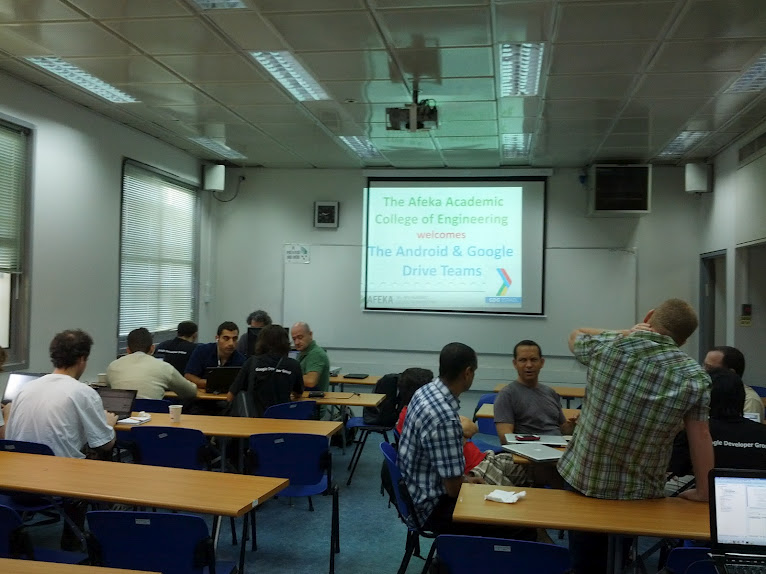
The work (hack?) room at the start of the day.

The work (hack?) room at the start of the day.

Before I start talking about the project I contributed to I want to highlight a few other teams and their innovative projects. There were plenty of teams to demo, so much so it took more than an hour, and there were three winner teams that won a goody bag with awesome Google swag. Unfortunately I don’t remember all of them but I’ll try to reach out to the guys that were there and create a list of people and projects.

Notable Projects

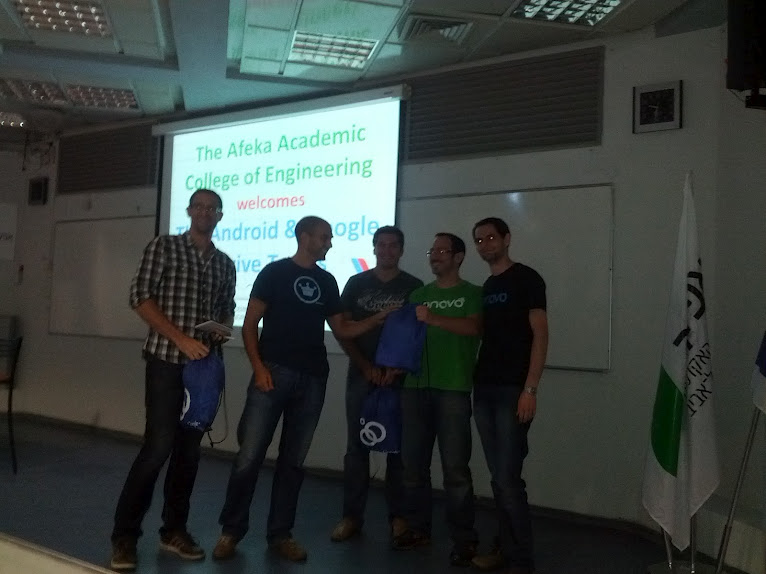
Password manager over Drive – A team of guys from onavo (one of Israel’s most successful startups) were probably the most impressive team. They really know how to work with each other and they coded furiously to create a secure password manager Android application that keeps your passwords safely encrypted on Drive. There is nothing more to say beside that they were one of the winners.

Onavo winning one of the swag bags

Onavo winning one of the swag bags

gdg-booktrunk – An interesting project that keeps track of the progress you made reading ebooks in you Drive folder and provides statistics and motivates you to read more. This project was started by Roman who I considered joining just for his sheer enthusiasm.

DogFooder

I arrived right on time for the team pitches in the second day so you can say I had the luxury of choosing the project I wanted to work on. I thought I’d hop between a few of them, but I ended up being stuck on some authentication issues for way too long and only worked on one project – I helped my fellow GTUG Organizer Ran Nachmany on a great idea named DogFooder. It is basically an artifact repository with great Android integration including push notification. The basic use case is having a web service that you send your APKs and metadata (like versions and release notes) to. The web service saves this to Drive and issues a push notification for subscribed devices, like QA’s devices or beta tester’s devices. They can then choose to download the APK and install it easily and quickly. This is a major pain point for mobile developers – propagating new APKs to test devices, and big kudos to Ran for thinking of this solution. In Zimperium we usually send the APKs but we have to send them to Gmail accounts because our mail server doesn’t allow attachments as big as zAnti (which is pretty small at 7mb). Only recently we started using a build server, but that still doesn’t solve the notifications and propagation problems. You can see how this can be very useful to mobile developers.

I joined Ran and wrote the web service and Drive integration but due to some Drive API quirks I only finished the code about an hour after the demos started, so we basically integrated it and jumped on stage two minutes later. Only by some incredible miracle did the demo work perfectly (typically – when we tried it again off stage something went wrong). We were also one of the winning teams, and we split the swag.

My half of the SWAG for being one of the winning teams.

My half of the SWAG for being one of the winning teams – a coffee mug and water bottle

I’ll save the technical details for another post because we still have some work to do before it is fit to be online, but hopefully we’ll get it into some alpha shape and put it on github soon because the guys at onavo really want to have this product, and so does Zimperium.

StartupOnomics Summit – Behavioral Economics for Startups with Dan Ariely

This weekend I attended the Israeli extension of the StartupOnomics summit, an entrepreneur centric behavioral economics summit. It had some great speakers headlined by Dan Ariely the famous professor of psychology and behavioral economics. In Israel we didn’t have all the lectures but we did see most of Dan Ariely’s sessions and even better – we got two full hours of his time for Q&A. The crowd in Israel included entrepreneurs from airba.se, Logicalls, xplace, practi.is, livechar.com and many many more. It was fun and stimulating to talk with the people and hear their stories.

The crowd in the Israeli extension

The crowd in the Israeli extension of the summit.

Here are the notes I took while watching the sessions. I was familiar with a lot of Dan Ariely’s work, especially the various experiments and his keynote which was based on this TED talk. These are my notes from the various sessions and shouldn’t be seen as an exhaustive summary.

Labor and Love / Michael Norton (Here is a similar TED talk)

The concept behind this talk was that adding labor to a process or product will make the customer more likely to pay attention and take action.

  • People like what they invested time into, even if it’s a trivial amount of effort.
  • Showing progress and time savings also have a positive effect, for example Kayak.com’s search function that animates flights flying into the result list as it finds them instead of just showing a progress bar and the results when they are available. Doing it for more than 30-60 seconds might be annoying so use wisely.
  • Another interesting finding is that showing people what they like is easy but if you have the data to remove things they disliked it will leave a strong impression. This is because while a lot of people might know what you like; only people really close to you will know what you dislike.

Session with Dan Ariely

A session about irrational behavior.

  • Reward in future is less valuable then reward now, even if reward in future is better.
  • Taking away has a bigger effect than giving something.
  • A mobile phone is an excellent way to control and condition the behavior of people. It is frequently used and almost always around.

Israeli Q&A with Dan

Dan really shined answering questions from the Israeli audience. He was amazing at giving out valuable advice on the spot. Some of the highlights:

  • One company asked about how to incentivize people to car pool and he quickly came up with mandating meetings which can be done either on your own time or while commuting. I love this idea as it reframes the commute as a time for communication and idea sharing and not a boring ride where you are half asleep.
  • Same startup wanted to award top five carpoolers. Dan pointed out the fact that not everyone has an equal chance to get that award so it will be a bit unfair and they should think of other metrics like improvement.
  • I didn’t write the question but he suggested one startup that wants to gain credibility is to do it through promising a reward for finding an inaccuracy which acts like social proof – if no one claimed that prize than you must be right (that’s a fallacy because people just might not care enough to find problems, but it works).

Dan Answering My Question

Dan Ariely answering my question from San Francisco.

Another Dan Ariely Session

I only caught the end of this one so I’m not sure what the main topic was.

  • People with multiple debts will not pay the debt with the biggest interest first but rather the one that is smallest and easiest to pay because they want the number of debts to go down.
  • When you’re experimenting make sure to get people without prejudices. The example was of a campaign ad where the campaign workers overwhelmingly chose a video ad but actual voters that were tested chose an image ad. This happened because campaign workers put the most work into the video thus valuing it more.
  • Run more experiments.

Social Proof / Noah Goldstein

The main study described in this talk is about signs that hotel rooms use to persuade guests to reuse towels. This saves the hotel money but is presented as an environmental issue.

  • Social proof works best when you use a group your customer is in or will like. The shocking example is that copy about recycling worked better when the hotel room number was written although rationally that detail is irrelevant.
  • The counter-point is true too – if you want to prevent behavior don’t use social proof that will make people want to be on the wrong side because it is more popular. The example is a sign saying many people are stealing something.
  • They also experimented with giving away some of the savings to charity. They found out that just saying that they’ll donate part of the savings sounds like tit for tat and doesn’t really improve on the social proof version of the sign.
  • The version that worked best is one saying a donation was already given in your behalf for recycling the towel.

To summarize, I learnt a lot and it helped me put myself in the mind set for marketing my new project. I got some valuable advice from Dan and the local attendees. It was a great event and if you are interested in behavioral economics you should make sure to attend the summit next year.

Announcing a Trello to iCal Feed Web Application

tl;dr – I wrote an app that creates a feed that you can plug into your calendars out of Trello cards with due date. Update: That was two years ago and since then Trello finally added that feature, and users migrated to using Trello, so I took it down. RIP 🙂

Almost a year ago Fog Creek Software released Trello a flexible web based to-do list tool that can also be used as a project management tool. Because of its flexibilities Trello has been used for many use cases – software release processes, customer relations management, book authoring and much more. I started using it at launch because I hate every other to-do list tool, and I tried many, but I instantly fell in love with Trello. It was easy to use and got out of my way, which is something other to-do lists just didn’t get. I was hooked since and started getting others to use it to plan things with me. I use it to manage pretty much everything, including the backlog of features to this blog, development tasks for zAnti, the app I’m responsible for at Zimperium and more. The only thing that was really missing from Trello was integration with my calendar. It was a major pain point. Trello cards (the basic to-do items) have only one way of connecting them to time and date – a “due date” value that changes colors when the date passes. One of the most requested features was to have calendar integration.

Debugging the application

Debugging the application

When the Trello API was out I immediately knew that my first priority is integration with my Google Calendar. I started playing with the API and making the basic PoC (Proof of Concept) for an app that created an iCal feed from Trello cards with a due date. Using iCal was the best option as it is supported by every calendar program worth its salt. I than left the code alone for a few months because lack of time and general tendency not to finish things. At the end of July I decided it’s time to productize this and I wrote the first version of the “Trello to iCal feed app” which is up now. I am still adding features to it and changing stuff, but it works and seems stable. The source code can be found here. I will make a separate post about the design and code of the app sometimes this week when I finish updating to a new version. Definitely learned a few interesting things.

One amusing thing that happened is that between the PoC and the productization another developer (François de Metz) added this feature to his app. Three months ago his app only showed you your cards on a basic calendar he created without any integration to outside calendars which wasn’t helpful to me, but he since he added a way to get an iCal feed. We both even used Twitter Bootstrap so our sites look pretty similar. This coincidence isn’t magical though – Bootstrap is popping up everywhere and it’s easy to deploy, but I think I’ll steer clear of it in my next projects. I’ve had some problems with LESS support on windows and I’ve also seen some backlash and lack or trust from developers when they see a vanilla Bootstrap site.

If you have any feedback and comments you can use this Trello board (how meta) or just contact me using the usual methods.

Who Needs Code Comments?

A recent Hacker News discussion about source code comments has grown into a debate about whether you need them or not. Apparently it is a contentious issue. The comment that started it all included “Comments are for the weak” and these 5 words incited a hefty discussion and this post. Some people argued code comments are a bad code smell and others said that comments are essential for people to understand code. My theory is that this divide is between people using low level languages like Assembly, C, C++ and to some degree Java and people using high level languages like Python and Ruby.

The biggest reason I think that is that low level languages need a lot more lines to do the same thing and those lines are harder to understand. A simple but poignant example is opening a file and reading its content:
C code (taken from here):
char * buffer = 0;
long length;
FILE * f = fopen (filename, "rb");
if (f)
{
fseek (f, 0, SEEK_END);
length = ftell (f);
fseek (f, 0, SEEK_SET);
buffer = malloc (length);
if (buffer)
{
fread (buffer, 1, length, f);
}
fclose (f);
}

Python:
buffer = open(filename).read()

The python example is one line long and uses descriptive names for the actions – open and read – and doesn’t bother you with implementation details of allocating memory for the data. The C example is about 12 lines long and exposes a lot of implementation details both about memory and about how file systems work (seek etc.). Both methods have their uses and advantages but one thing for sure – anyone not familiar with C will have a hard time understanding the C code and even non-programmers can understand roughly what the python code does.
One commenter specifically caught my attention giving an example of “readable” C code from the Unix source code. Here is the second function from the source file:

/*
* Wake up all processes sleeping on chan.
*/
wakeup(chan)
{
register struct proc *p;
register c, i;
c = chan;
p = &proc[0];
i = NPROC;
do {
if(p->p_wchan == c) {
setrun(p);
}
p++;
} while(--i);
}

This is part of one the most influential operating systems written, but at least in my book this code wouldn’t pass code review. It will fail because:

  • using one letter variable names is bad – this is the biggest offender by far.
  • wakeup is a really general name for such a specific function. wakeup_on_channel is better.
  • Abbreviating “Number” to N in NPROC.
  • Not declaring input variables type (TiL that the default is int…)

This brings me to the second contributing point to my theory – writing something hard to read will be strongly discouraged by some communities more then others. High level languages are written with the axiom that code must be easy to understand. It’s even in their name – high means farther from machine code and closer to humans while low-level means closer to machines and their language.

Looking back at the HN discussion, you can make some good educated guesses about who in that thread is a high level programmer and who works closer to the metal. These two groups might not get each other’s context and so this discussions goes round and round. Both groups need to acknowledge that languages like C will need more comments and documentation to be understandable and that while commenting is good it might be a strong code smell that you need to refactor in a higher level language. I usually use this Python idiom – if you feel the need to comment something, make it into a function and write a docstring.

Blog and Podcast Roll

I have 138 RSS subscriptions and 29 podcast subscriptions. I have about 200 RSS items to wade through each week, and even if all I do for a week is listen to podcasts non-stop, I will still have unlistened podcasts. It’s pretty safe to say I’m addicted to passive information, news and entertainment. I’m even listening to a podcast as I’m writing this. Meta, I know.

I love “Real Simple Syndication” or RSS. This protocol allows content creators to propagate their new content passively – update the feed and everyone will eventually get the update. What I love about it is that it’s asynchronous, as is the nature of most “pull” communication methods – I don’t get notified about every RSS item or new podcast episode – as opposed to email which is synchronous and immediate. I am not subscribed to even one blog by mail because I have this separation between immediate items and the rest. I’m up to about 4 hours to go through my weekly RSS reading, but I think it’s a worthwhile investment for now, and it’s fun. I’ve picked a few highlights to create a blog roll and added a justification here.

Twenty Sided by Shamus Young and friends
www.shamusyoung.com/twentysidedtale (RSS)
If I can choose one blog to model mine after, it will be Twenty Sided. It has articles about graphic programming, game design and general entertaining commentary. I love the community that sprung around the let’s play “Spoiler Warning Show”. You should really check it out and specifically the new “New here” section.

Coding The Wheel
http://www.codingthewheel.com/ (RSS)
This blog needs way more posts. The author is obviously a knowledgeable programmer who writes about code and Poker and gives a look into the fascinating world of Poker Bots. You should definitely read the series.

Joel on Software by Joel Spolsky
http://www.joelonsoftware.com/ (RSS)
Joel on Software needs no introduction but I still wanted it to be high on the list of blogs because of how influential it was on my decision to become a programmer and entrepreneur. This is where I first discovered a lot of concepts about starting and running a company, treating customers and about Fog Creek’s unique philosophy and company culture. He has great reading lists according to what you do and they are all worth your time.

Beta List
betali.st (RSS)
This site aggregates a lot of new startups that are in Beta. This is a great way to stay updated on new startups and ideas, and sometimes I even sign up for some. I’m sure everyone can find a startup to check out from this list and this is mutually beneficial to you and to the startup – a win win!

tynan.com by Tynan
tynan.com (RSS)
A truly unique and interesting blogger with a wide selection of topics – minimalism, software, travel, living in an RV and picking up women. This blog is one I consistently enjoy every post in, which is pretty hard to achieve.

Procrastineering by Johnny Chung Lee
procrastineering.blogspot.com (RSS)
This blog is by a guy who is consistently working on the coolest projects around. From a do-it-yourself head tracking using the wii to Kinect to his work in Google – there is no one that sold me on the field of HCI more than him.

Podcasts

Security Now! by Steve Gibson and Leo Laporte
www.grc.com/securitynow.htm (RSS)
Hands down the one podcast that beginner programmers or people with an interest in the behind-the-scenes of computers should listen to weekly, and add another from the archives because it has been around for years. Steve is a genius and a hacker, but most importantly he has that elusive talent of being able to explain hard and complicated technical issues clearly and methodically in a way that is understandable even to laymen but is not oversimplified. If you never listened to podcasts, you should make this your first and you’ll be as addicted as me in no time.

Radio Free Python
radiofreepython.com (RSS)
A podcast about python, how can it not be awesome? I only listened to the first two episodes and they have interviews with the greatest pythonistas around, including the BDFL himself, Guido van Rossum. Definitely worth a listen if you want some programming in audio form.

Stanford University’s Entrepreneurship corner
ecorner.stanford.edu/podcasts.html (RSS)
A lecture and a Q&A by a successful entrepreneur, VC or other startup insider? YES PLEASE! If you need motivation to finish a project or to go out and start a company, just listen to a random episode and you’ll be pumped. The message is – just do it, and while you’re at it here are some tips and common mistakes to avoid. Archive includes people like Marissa Mayer, Steve Ballmer, Mark Zukerberg, etc. and basically every hot startup and successful company is represented.

A Life Well Wasted
alifewellwasted.com (RSS)
A shortlived but prominent podcast about games and why we play them. Only a few episodes but they are really insightful and have great production value and atmosphere. This podcast is not updated anymore but you should listen to the past episodes and just enjoy the feeling of nostalgia, bliss and pure innocent happiness.

If you still can’t get enough of RSS, here are my full RSS and podcast OPMLs (an XML format for a collection of RSS feeds). Be warned though – some of the podcasts are adult only and a lot of them are not programming related. You should customize it to your tastes and time constraints. Dome of them are in Hebrew and one is in Russian. You have been warned!

RSS Feeds OPML
Podcasts OPML

Lastly – you should consider subscribing to my RSS feed. It is the best way to get updates, and who wouldn’t want more of this?

Got interesting items in your RSS feeds? Share them in a comment and feed my addiction.

Reflections: OmegleBot

Omegle.com allows people from around the world to converse with each other “anonymously”. It is one of those sites that let you start a text or video chat with someone online and consequentially makes you doubt the intelligence of man kind. On sites like this, text chat follows the famous “Greater Internet Fuckwad Theory” and the video chat is… Well it’s probably a phallus. Omegle started as a way for strangers to connect and talk with each other, but has since devolved and the chance of finding some meaningful conversation on it is minuscule which is a shame because random chatting is a fun concept. I would add a premium feature that administers an IQ test and matches you to someone according to that but that is an idea for a different time.

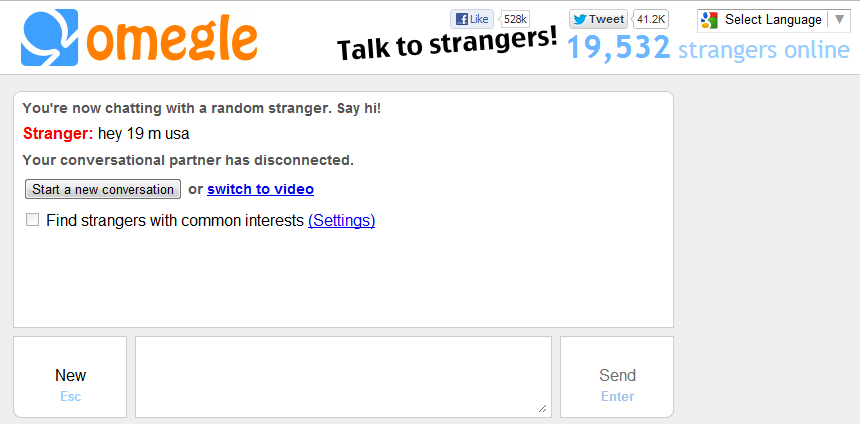
A typical Omegle chat

A typical Omegle chat

When I first discovered Omegle I quickly got tired of trying to find someone to talk to. The idea of Omegle is not new or revolutionary. IRC and chat rooms were there before but this made it as easy as can be. Since I already spent a ton of time in online social communities with people who have the same interests as me I dismissed it as a cost efficient way of communicating. I did find a use for Omegle though – there was nothing preventing me from spying on a random conversation and recording it. A nice challenge and it seemed fun. This was years before Omegle itself introduced the “Spy mode” so I guess there is something there. The concept of Spy Mode might look like something “evil” to do – spying on other people’s conversations is an ethical gray area in the real world, but is it online?
The answer to this question depends on how much you know and are aware of privacy online. In theory everything you do online can be (and is) monitored by a number of entities including your ISP (that can read all of your online activity), your operating system and other programs on your machine, a lot of routers on the Internet and at least a few governments. That is all beside the point – I thought about ethics for a second but to be honest I don’t see this as anything but a technological challenge (also, it isn’t illegal per se). My goal wasn’t to spy on people but to hack a bot together and as such I probably only ran the finished script once – to make sure all the bugs were solved. I call it the Hacker’s Mindset :).

This is how OmegleBot was born. A simple and a very quick and dirty and unrefactored python script. Before that script I didn’t have a lot of knowledge about HTTP, httplib and urllib because I used raw sockets to talk HTTP (poorly) in the past. This was a perfect project to help me understand the python libs relating to HTTP and JSON. The bot opens two simultaneous connections to Omegle and sends them both a simple greeting, “asl?”, which is the way most conversations in chat channels start. It then proceeds to proxy their conversation and also record it into a text file. The most interesting part is the post function. It started as a simple call to connection.request and evolved to include a variety of HTTP headers including a faked user-agent and referer needed to defeat some of Omegle’s “security checks”. Usually services will have more server side security checks (“never trust user input”), but unfortunately Omegle doesn’t have a choice here. Because they are open and allow anonymous chatting it leaves them with only so many ways to ensure I’m a client and I masqueraded as one well. Omegle uses the JSON protocol to pass data about events like whether the other user is typing, the message the user sent and of course when a user disconnects. Reverse engineering it was the hardest part of this project (and it wasn’t all that hard). I think the only challenge I faced was understanding why Omegle blocked the first iterations of the bot and adding various headers until I passed for a client in their book.

I also attached a sample output file with a few conversations. There is nothing interesting there nor did I capture anything interesting. All the conversations are very short which is definitely a symptom of Omegle – long and meaningful conversations are few and far between. I even sent “typing” statuses every few iterations to encourage people to converse and it didn’t help.
What can we learn from this? Masquerading as a browser is easy. Writing bots is easy. As a person on the internet you should take from this that bots are everywhere on the web. You should be aware of that because a lot of spam and fraud is done by bots – you can trivially change this bot to spam on Omegle (although ChatRoulette, a similar site has a “spam” button that might be useful against that). Radiolab even had a podcast on a bot that had an online relationship with a human. It is a fact that bots are becoming better and better at passing for human beings. Soon they might even be good enough to write a programming blog, and then what will I do?

Southpark's "dey took er jerbs" guy"

Southpark’s “dey took er jerbs” guy”


(program them, probably)

P.S. Unfortunately the bot stopped working. It can be that Omegle changed the protocol a bit, added some more security or that I have a bug. Feel free to fork it and bring it back to life!